Book your beauty visit without a single call.
Find a specialist, look through their work and prices, and pick from the times that are actually free. The confirmation arrives by email.
- No booking fees
- Online 24/7
- Book without an account
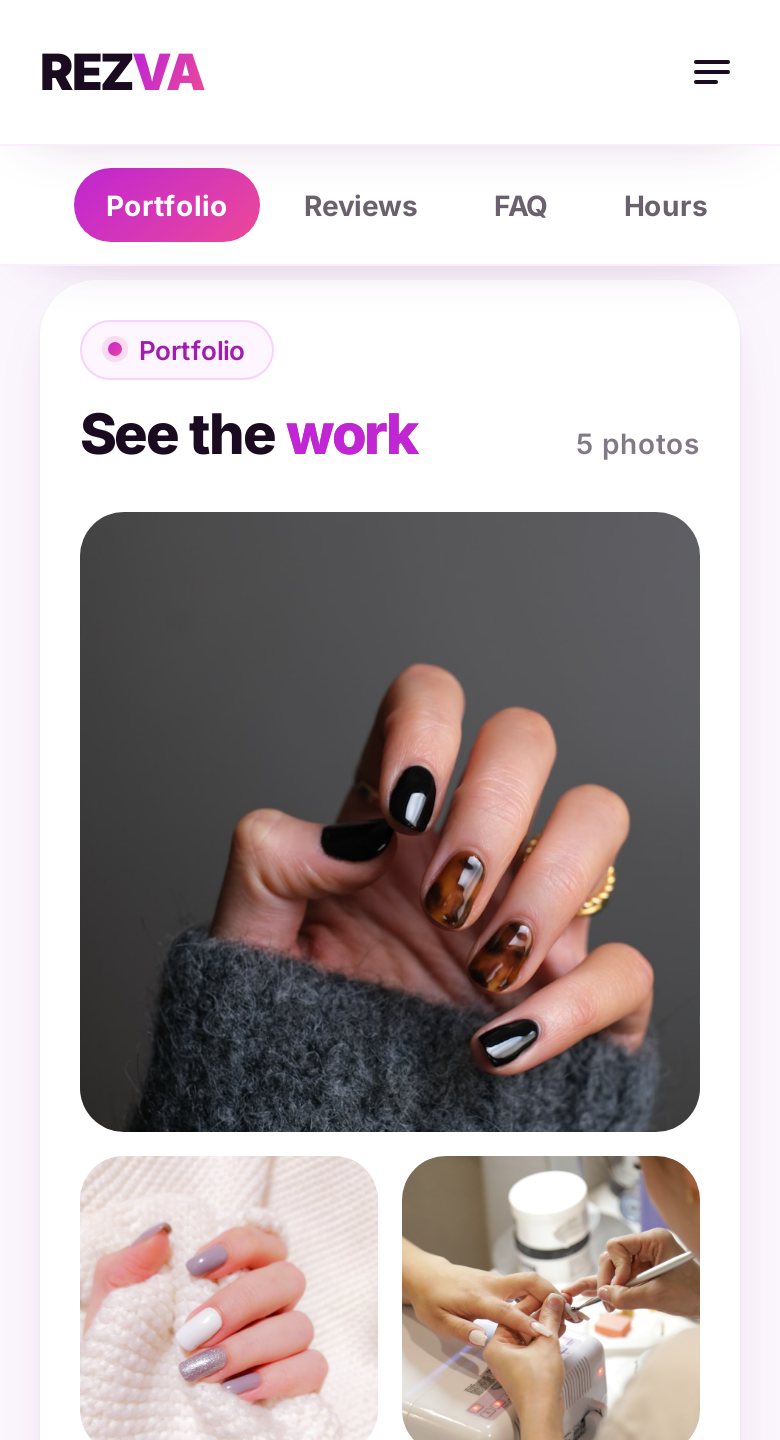
Five screens from the search to the confirmation.
REZVA screens on a phone, following one sample booking. The time, name, email and phone are samples.
-
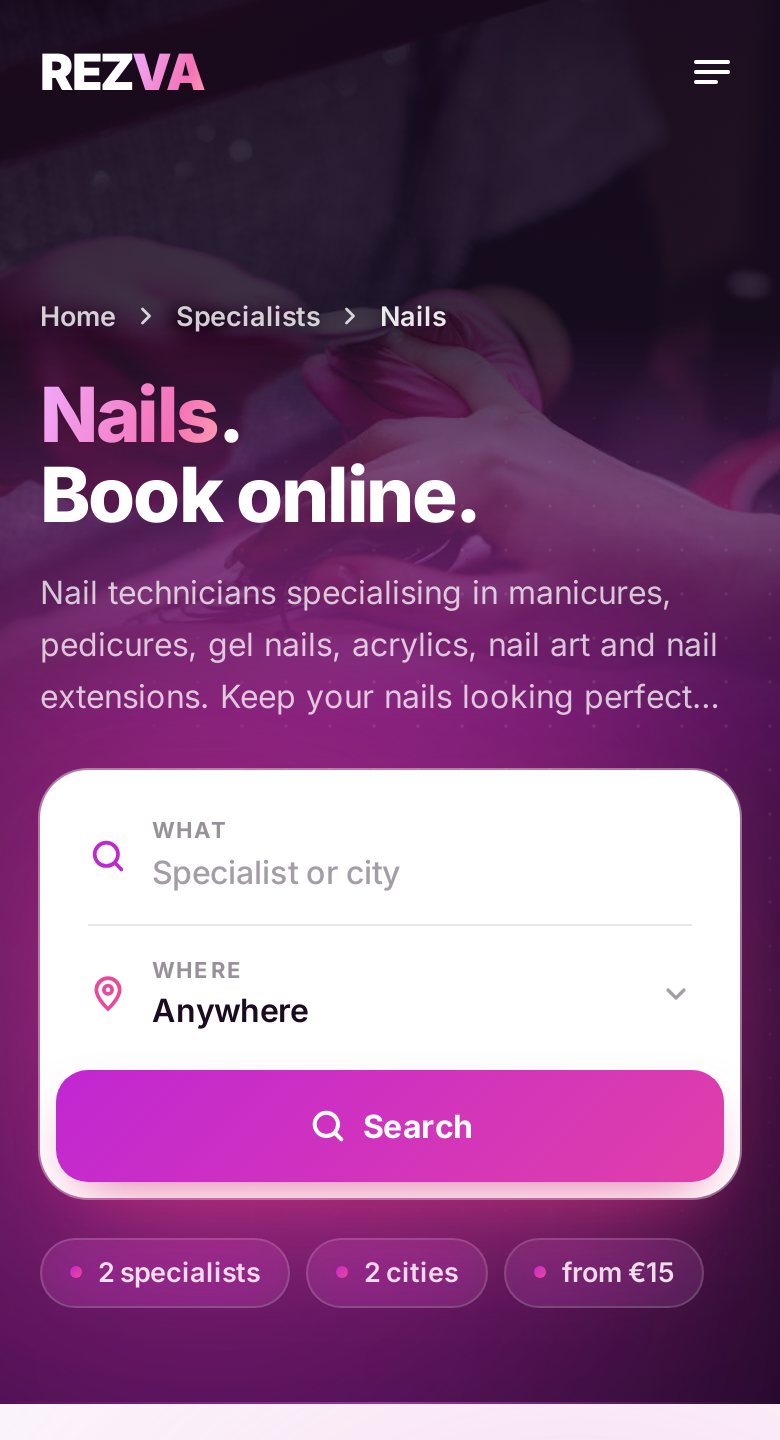 1 Step 1 of 5
Find a specialist
Search by service, name or city, or start from a category such as nails or hair. Every result shows who the specialist is, where they work and what they offer.
- Search by service, name or city
- Categories from nails to massage
-
2 Step 2 of 5
Choose by the work
A profile puts the photos of the work, the services with price and duration, the working hours and client reviews on one page.
- Photos of the real work
- Price and duration for every service
-
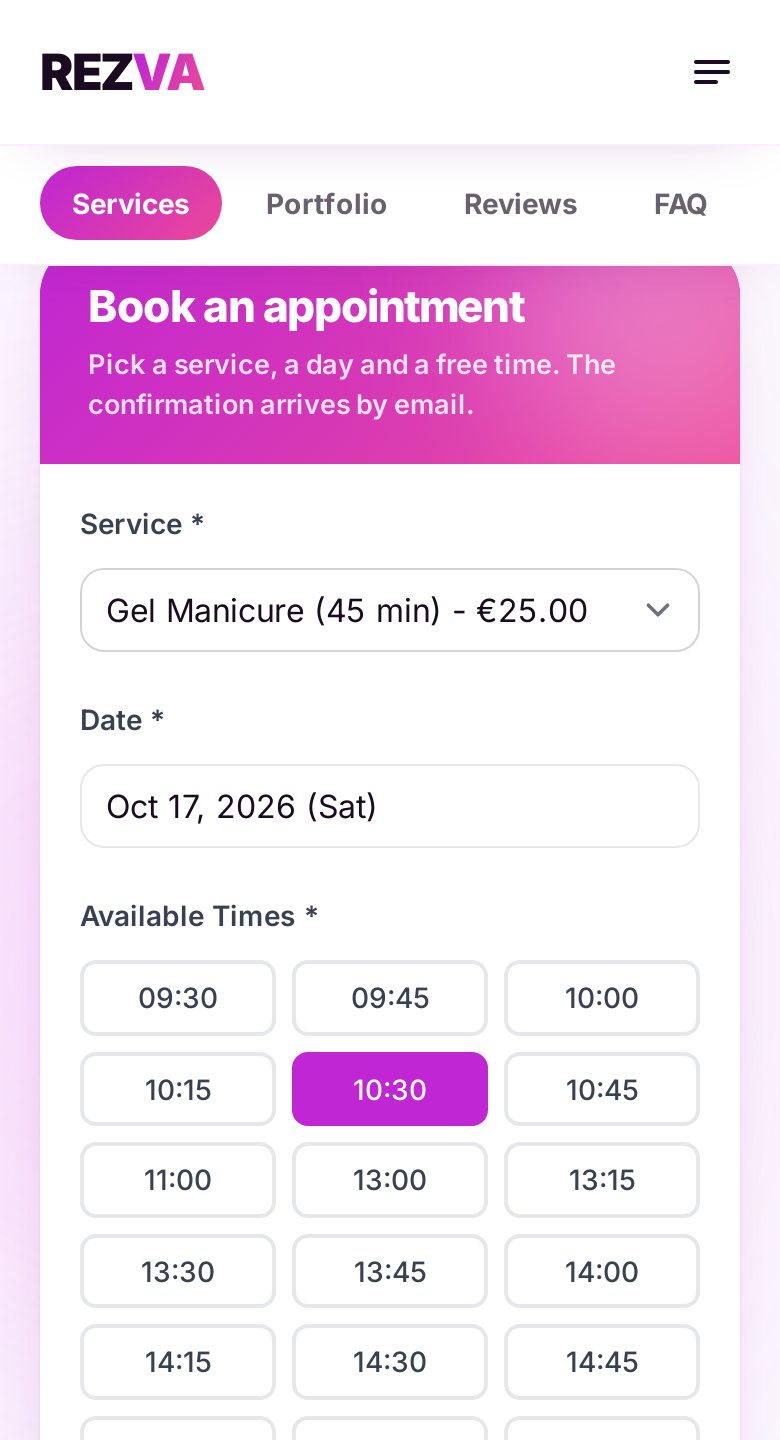 3 Step 3 of 5
Pick a service, a day and a time
The calendar shows only the times that are actually free, so there is no waiting for a reply. Every service shows its price and duration.
- Only times that are actually free
- Price and duration as you choose
-
 4 Step 4 of 5
Leave your name, email and phone
Before you confirm, the summary shows the service, the day, the time and the price. If the specialist asks for a deposit, you get an email with the payment instructions.
- You can book without an account
- A summary before you confirm
-
 5 Step 5 of 5
Get a confirmation
With most specialists the confirmation arrives by email right away. If a specialist approves requests by hand, it arrives once they approve. If the specialist has reminders switched on, you also get one before the visit, and with a REZVA account also as an app notification.
- Every detail in the email
- After the visit you can leave a review
Four things that hold for every booking.
-
No booking fees
REZVA charges you nothing. You pay the specialist, at their price.
-
Reviews only from real visits
Only a client with a completed booking can leave a review, so you read opinions from people who were actually there.
-
Change the time from your phone
With a free client account you ask for a new time from your booking page, and the specialist confirms it. You can cancel from there too.
-
All your bookings in one place
Under “My bookings” in a free client account you see your upcoming and past visits, including the ones booked with your verified email.
The same calendar. From the other side.
Clients see your services, prices and free times and book themselves. You are notified of every new booking and keep working.

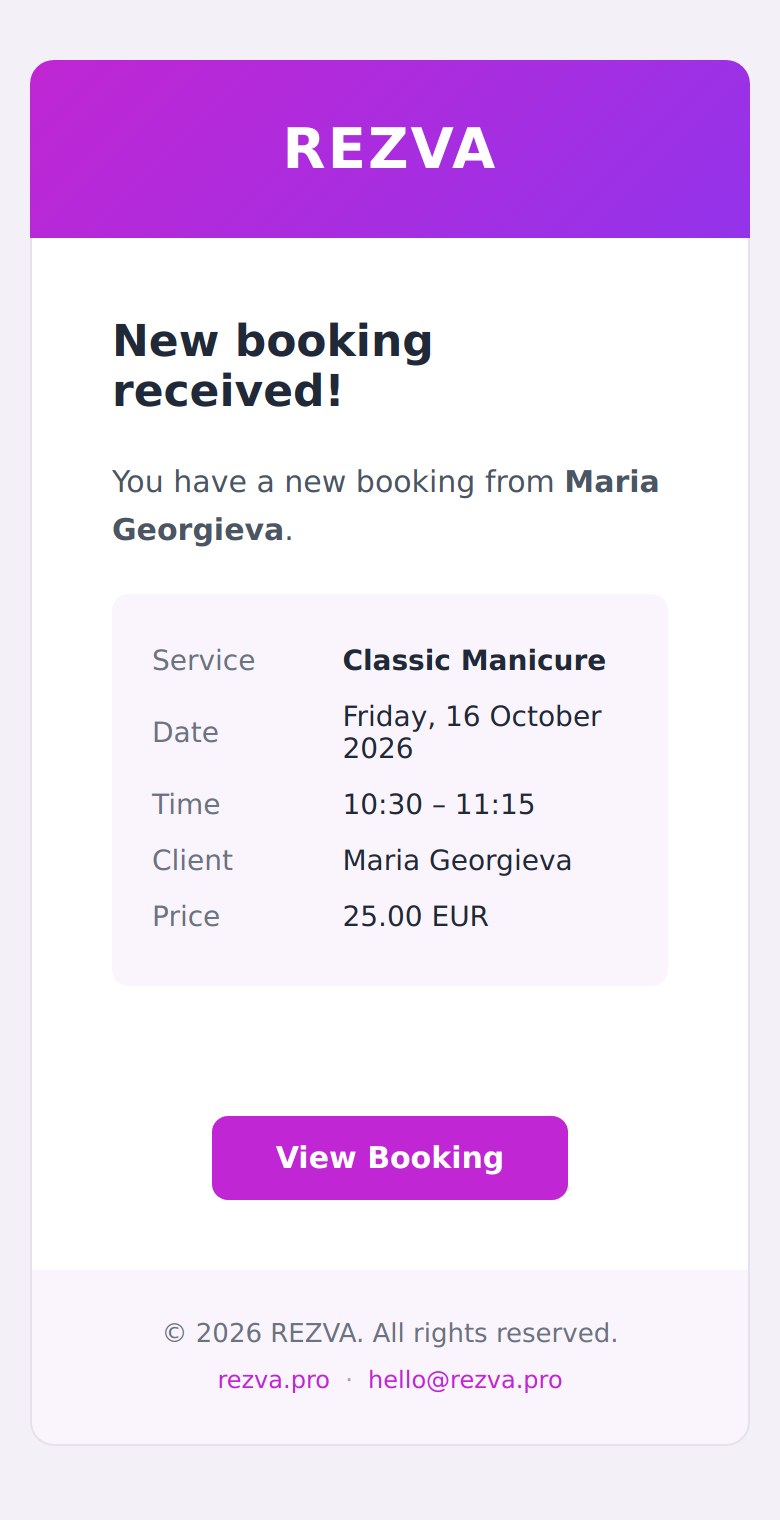
A REZVA notification
A new booking while you work
Pick a specialist and book your next visit.
No calls and no booking fee. You do not need an account to book.